
The goal goes in, the neighbors cheer—and the attack is still unfolding on your screen. This can happen with live TV over the internet even when your connection is working properly. A signal is captured, processed, compressed, packaged into small segments, transmitted and buffered on the device. Every step can add time. Satellite, cable and different streaming apps also take different routes to your screen. So the question is not just “How do I get zero seconds of delay?” but what kind of delay is this, and which part can I affect? This guide gives you a measurement method without made-up figures and suggests targeted next steps.
Tell normal latency, buffering and pause apart
A stable delay means the picture and sound play smoothly, but an event appears later than it does through another delivery route. That is latency. If the picture repeatedly stops with a loading circle and then resumes, that is buffering; see the buffering diagnosis. If the player remains behind the current live point after you press Pause or use a replay feature, you are seeing deliberately time-shifted playback. An accidental jump back or a recorded stream can also look like “slow internet,” even though playback has simply left the live position.
First check the timeline and a “Live” or “Go Live” button, if your app has one. Restart the same channel, then see whether the gap gets smaller. If it changes noticeably, you may have been watching from a time-shifted position. If it stays roughly the same and playback remains smooth, normal transmission latency is more likely. A mismatch between the stadium clock, TV graphic and an external sports app is not conclusive on its own, because those information sources may also be delayed.
What happens between the camera and your TV
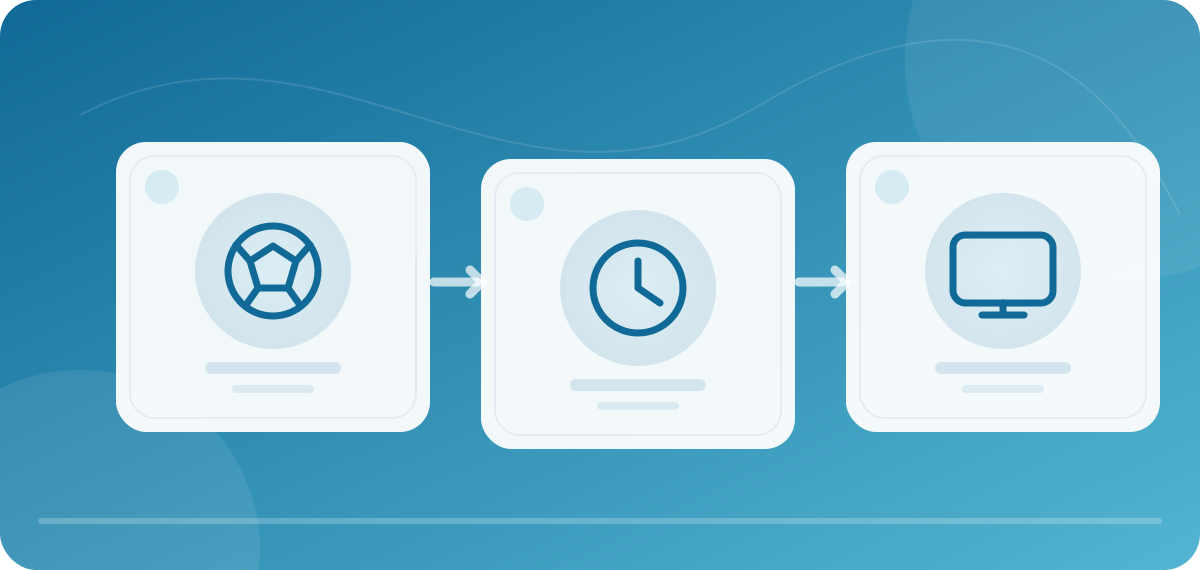
The chain starts with production: cameras provide signals that are mixed and prepared for different distribution routes. A system then encodes picture and sound, divides data for transmission and distributes it through servers or networks. Your device receives the packets, buffers them briefly, decodes them and displays the result. A certain reserve can smooth over short fluctuations, but it costs time. Zattoo explains that processing, compression and buffering contribute to its live-TV delay, which can vary by platform.
This chain is not one universal stopwatch for every service. Different providers may deliver the same channel using different encoders, segment sizes and distribution routes. A sports app may use its own live-latency strategy for certain events. Even on the same device, switching between Wi-Fi and LAN can affect how much buffering is needed without eliminating the whole delay. A modern TV may also process the picture for motion smoothing or other effects; that is a different contribution from streaming transmission. Before claiming “Provider A is always faster,” you need to compare the same program at the same time.
How to measure the difference in a reproducible way
Choose an identical, legally received live program through two routes, such as an official stream and a linear TV service. Place both screens side by side or use a camera to record them simultaneously. Pick an event that is easy to see and hear, such as an on-screen seconds display or a whistle with a matching picture. Starting a timer yourself on only one device is unsuitable if you do not know the exact broadcast time of the event. Record the date, time, channel, program, devices, app versions, delivery routes and connections. Repeat the observation several times over a few minutes.
Compare the difference between the two routes, not the supposed absolute time since the stadium. Without a synchronized reference at the source, you do not know the absolute glass-to-glass latency. If route B is five seconds behind route A, all you know is that difference under your test conditions. Replay, advertising, regional feeds or different HD/SD versions can make the content differ and invalidate the comparison. In that case, choose another program or label the measurement as not comparable. We do not publish our own measurements here because we do not yet have a documented parallel test for the devices mentioned.
| Notes for a comparison | Example for you to fill in | Why it matters |
|---|---|---|
| Channel and event | Same official live channel, same moment in the picture | Different feeds are not directly comparable |
| Route A and route B | Stream and satellite, or two official apps | The result applies to these specific routes |
| Devices and versions | TV model, stick, app version | Platform and decoder may differ |
| Connection | Wi-Fi band or LAN | Fluctuations can affect buffering |
| Repeated observations | Three to five clear events | A single impression can be misleading |
What you can usefully check on your device
Start with the live position. Turn off an accidental rewind, restart the channel and compare the same visible moment. Keep the app and operating system up to date when official updates are available. Zattoo recommends keeping them current and using a stable connection. If the picture also buffers, check speed on the playback device, other simultaneous downloads and, if available, a wired connection. Our speed test gives you a network indicator, but does not measure stream latency itself. A higher download figure does not shorten the service’s processing chain.
Some players offer a buffer-size setting. A smaller buffer may reduce the distance from the live point, but under unstable conditions it could cause more interruptions. Change it only if the app documents the option, and test the same channel at a similar time. Note the original setting and restore it if playback stutters. Do not change several decoder and network options at once. Switching the TV picture mode may also affect local display processing; it cannot change delay that has already occurred before the signal reaches the device.
What a quick trick cannot fix
Another DNS server, a VPN or a “low latency” button in some player cannot remove time that has already been added during production, encoding and distribution. A VPN can add another route. Likewise, 1 Gbps instead of 100 Mbps does not guarantee a faster goal notification once both connections are stable enough for the stream. If a service deliberately uses more buffering for stable playback, there is a tradeoff between reliability and being closer to the live point. The most useful step may be choosing an app or delivery route that appears earlier on your devices in a documented comparison.
Viewers may not even receive identical streams: advertising, regional rights, app version, quality or device capability can change the route. That is why broad rankings by number of seconds, without a date and test setup, quickly become worthless. When a new device generation appears, older measurements do not automatically transfer to it. A responsible recommendation shows conditions and variation; it does not give an exact figure for a household it has not tested.
Choose the right response based on the result
Smooth playback, but consistently behind: check the live position and compare two official delivery routes. For important sports events, choose whichever route is earlier for you, if the cost and rights work for you. The gap grows during the program: check whether the player falls further behind after a buffering event; jump back to the live point deliberately and investigate the buffering cause. Only one device is affected: compare the same app and channel on a second permitted device, one at a time; check firmware and connection. All streams fluctuate: investigate the network and simultaneous load next, rather than buying an app subscription immediately.
If you send the service a latency report, describe the two routes and several events with their times. Say whether picture and sound played without interruptions. Support cannot do much with “the stream is 20 seconds late” without a reference. Avoid screenshots that show private access details. The box buying guide can help if you are considering another delivery route or a wired connection, but a new purchase is justified only after a comparison.
Frequently asked questions about live sports delay
Is a delay of a few seconds normal? Yes. Internet live TV requires processing and buffering; the exact difference depends on the service and platform. Can I synchronize the stream exactly with satellite? Not in general. You can check the live position and buffer, but you cannot shorten the entire upstream route yourself. Why does the gap keep growing? Repeated buffering or time-shifted playback are possible reasons; check the live position. Does faster internet help? Only if your current connection is a bottleneck. It does not remove server-side processing. Which service is fastest? Without the same channel, time, device and documented measurement method, a fair winner cannot be established.